
Story Maker 2020: Story Editor1.14 - Google Play
You'll be able to see results in few seconds.
Publisher Description
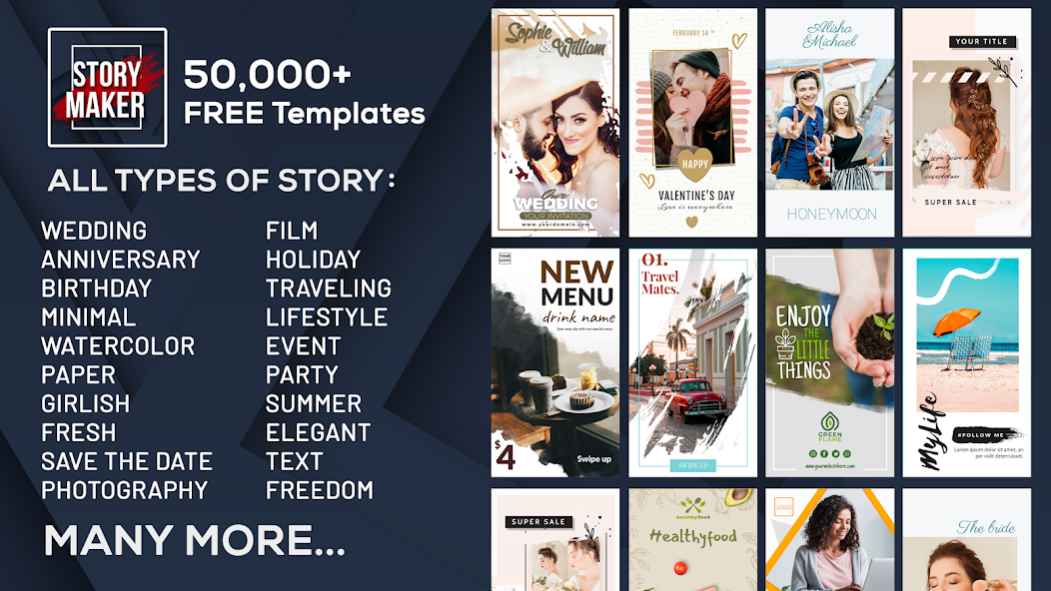

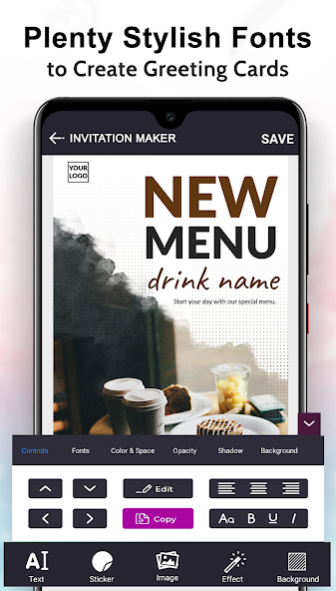
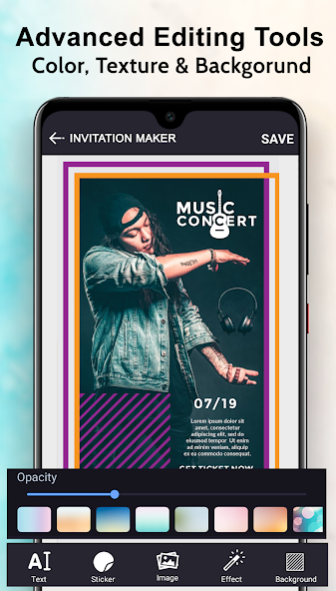
All in One Story Maker, Story Editor, Story Creator for Instagram. Insta story editor is an IG Story Maker.
Story maker, story editor, story creator & collages with templates, layouts, text, fonts & filters.
Story Maker / Editor / Creator is an Instagram stories editor app that offers 5000+ story templates to help you create beautiful collage layouts. This Instagram story help you easily get more likes and followers! It’s never too hard to be a collage maker, feed planner, storyboost or video snapchat story editor in IG.
Customize your amazing stories and video status right now! Story Maker is a free app that has lots of templates and features for you to create beautiful instagram stories with templates to share in the Snapchat story, Instagram story, Whatsapp status or Facebook story and etc..
Features of Instagram Story Maker, Editor, Creator App:
#STORY MAKER:
• Use Story Maker toolkit, designer and editor to create story collages with styles, colorful borders, and custom font & text with photos and videos.
• Edit your photo or video with mojo filters or professional toolbox and make them amazing ig stories that get you likes and followers!
• Add high quality instagram story templates with different tezza styles and mojito borders.
• Well-designed app to combine photos and create your own story
• Export high-quality images on Insta stories
• Design your quotes, status, captions and quiz
• create your highlight cover with high quality logos and tezza icons that makes your profile looks mojito great and elegant.
#STORY EDITOR:
• Flawless Layout storychic Templates, highlight cover icons, stickers, background colors, collage design, prequel filters, presets for Instagram dazzle story post and snapchat story
• Animated Instagram story swag templates and tezza video editor.
• 5000+ collage templates with color / tezza shape and tezza squares help you create amazing Insta instories and Instagram highlight cover.
• Highlight Cover Maker: Professional Highlight Cover icons and stickers that can make your profile looks mojito great. Use story editor to create Facebook & Instagram highlight cover for a color story.
• Add text with various hype type fonts & unique design of words
• Write down your mood and thoughts with fonts, text of different tezza styles.
• Adjust video speed with slow/fast precisely so it can fit your snapchat story.
• Select predefined story templates or Choose a layout from Instagram as a picture or video collage.
• Export stories in high resolution to be shared on instagram, snapchat, whatsapp, facebook, pinterest, tiktok, or anywhere else you’d like.
#STORY CREATOR:
• Being the story maker, editor and creator that helps you create high quality insta chroma stories that stand out and gain you more likes and followers for your snapchat story.
• Advanced Tools for photo & video edit including prequel filters, trimmer tools, text, words, fonts and more
• 60+ Themes with different mojito designs & colors, including Film, Retro, Minimalism, Polaroid
• High quality mojo filters and presets for instagram
• Professional editing tools that enable you to resize and trimmer your images, videos including storybeat zooming and clipping that make your dazzle stories
Use our story maker, story editor, story creator app which is best Instagram story maker. This story maker, editor, creator for Instagram is the perfect app for you!
Just Download Story Maker and start creating stories!
Graphics credit : www.freepik.com.
About Story Maker 2020: Story Editor
The company that develops Story Maker 2020: Story Editor is postermakerflyerdesigner.com. The latest version released by its developer is 1.14.
To install Story Maker 2020: Story Editor on your Android device, just click the green Continue To App button above to start the installation process. The app is listed on our website since 2020-11-27 and was downloaded 0 times. We have already checked if the download link is safe, however for your own protection we recommend that you scan the downloaded app with your antivirus. Your antivirus may detect the Story Maker 2020: Story Editor as malware as malware if the download link to com.storymaker.storyeditor.storycreator is broken.
How to install Story Maker 2020: Story Editor on your Android device:
- Click on the Continue To App button on our website. This will redirect you to Google Play.
- Once the Story Maker 2020: Story Editor is shown in the Google Play listing of your Android device, you can start its download and installation. Tap on the Install button located below the search bar and to the right of the app icon.
- A pop-up window with the permissions required by Story Maker 2020: Story Editor will be shown. Click on Accept to continue the process.
- Story Maker 2020: Story Editor will be downloaded onto your device, displaying a progress. Once the download completes, the installation will start and you'll get a notification after the installation is finished.
Program Details
System requirements
Download information
Pricing
Version History
version 1.14
posted on 2020-11-27
Disclaimer
Official Google Play Link
We do not host Story Maker 2020: Story Editor on our servers. We did not scan it for viruses, adware, spyware or other type of malware. This app is hosted by Google and passed their terms and conditions to be listed there. We recommend caution when installing it.
The Google Play link for Story Maker 2020: Story Editor is provided to you by apps112.com without any warranties, representations or guarantees of any kind, so access it at your own risk.
If you have questions regarding this particular app contact the publisher directly. For questions about the functionalities of apps112.com contact us.
